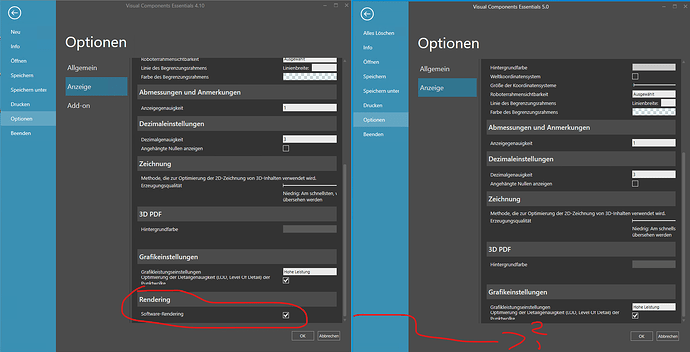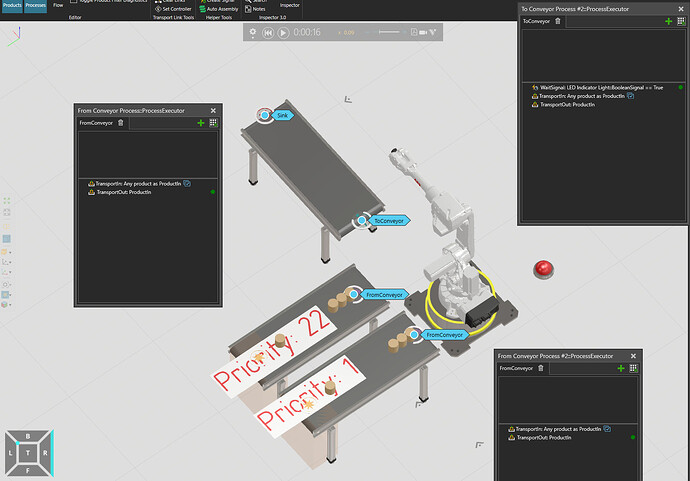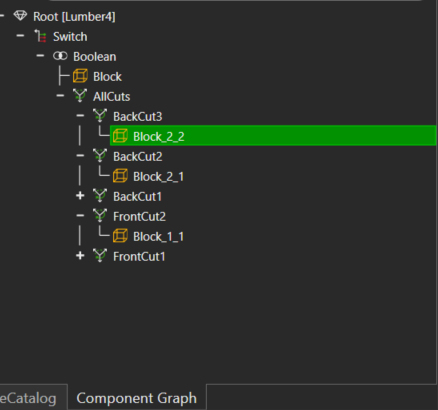
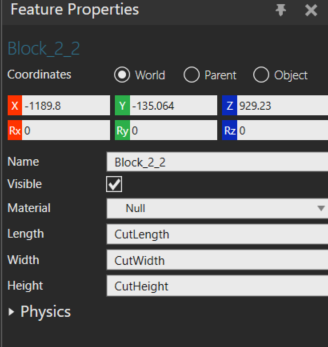
Hello, i created a block feature and I want to print/ modify X Coordinate of the block. I tried the function PositionMatrix and NodePositionMatrix to get access to X but both gave me wrong x coordinate. do you know how to get access and modify X coordinate of this feature by python script?
How to modify x coordinate of a block feature - Python Programming
Feature trees are shared between simulation nodes (vcNode) so the world position of a feature is always some specific node’s position (WorldPositionMatrix) + the feature’s position relative to the root of the feature tree (NodePositionMatrix)
so is there a way to access that -1189.8 by script?
and if I try WorldPositionMatrix, it gives me error “Attribute or method ‘WorldPositionMatrix’ not found”
Hello, Kwin,
几何图元特征不具备 WorldPositionMatrix 属性;它只拥有 PositionMatrix 属性。PositionMatrix 属性指向其父级坐标值。如有需要,您可以计算其 WorldPositionMatrix。当然,您只能修改 PositionMatrix 属性,因为 WorldPositionMatrix 属性是只读的。您可以尝试查阅有关 vcMatrix 的相关知识。
否则,您可以选择父特征(BackCut3),并添加平移变换 { Tx(500) } 以沿 X 轴平移特征。除了使用固定值(如 500)外,您也可以使用变量。
Otherwise, you can select the parent feature (BackCut3), and add a translation transformation { Tx(500) } to translate the feature along X axis. Instead of using a fixed amount like 500, you can also use a variable.


微信扫一扫,打赏作者吧~