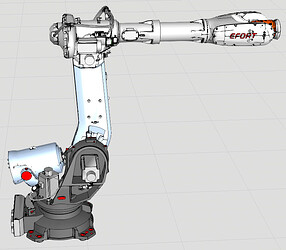
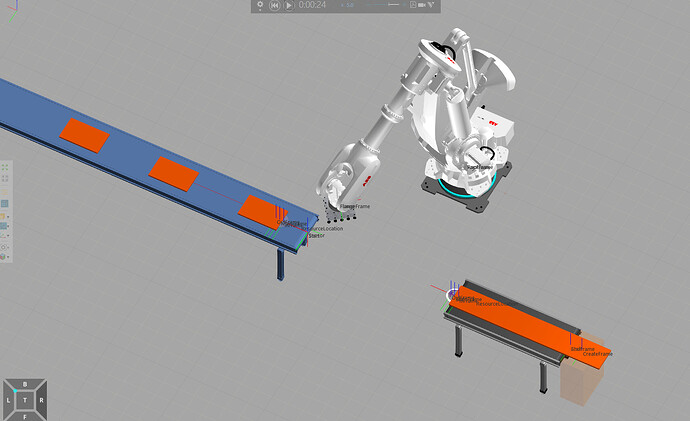
Dear teachers, I need to program the EFORT ER155-3200 model robot in the simulation environment, but the robot model library is not available. Could you please tell me how to obtain it?
The robot model library does not have the programmable digital model of the EFORT robot ER155-3200 - Component Modeling
Good morning,
I can confirm that ER155-3200 is not in the eCatalog library.
If your organization has a valid maintenance contract, you can post a modeling request to the Visual Components Support. The request to add a new model to eCatalog will then be processed accordingly.
If you need the model very quickly, you can quite easily model the robot yourself following the steps of this tutorial:
Model an Articulated Robot | Visual Components Academy
You can use the EFORT ER-150-3200 from eCatalog as a base model, as it has some similarities.
Thank you very much for your reply. It is extremely helpful to me.
Dear teacher, I have followed your instructions to create the model of ER155-3200. However, I’m not sure how to make the robot’s balancing cylinder. Could you please tell me if you know?
ER155-3200.vcmx(3.0 MB)
Hello,
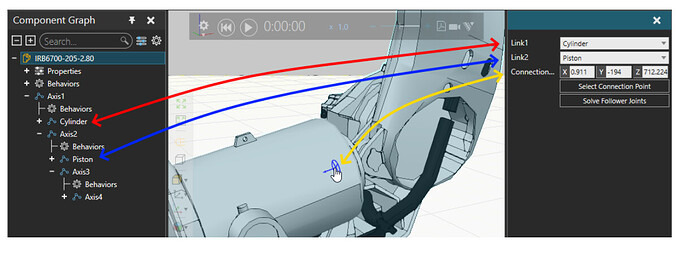
When I model balancing cylinders, I start by configuring the link nodes for the cylinder and piston: one must be under J1 and one must be under J2 in hierarchy, and the rotational axes must be in correct positions.
Then comes the tricky part: value expressions for rotational follower joints. The idea is that origins of J2, the piston and the cylinder will form a triangle.
Luckily, there is an addon that is helpful in solving the value expressions for angles of a triangle:Mechanism Wizard - Extensions and Python Add-ons / Visual Components Add-on Samples - Visual Components - The Simulation Community. The addon files include a PDF tutorial where one example shows usage with a similar balancing cylinder:


微信扫一扫,打赏作者吧~